


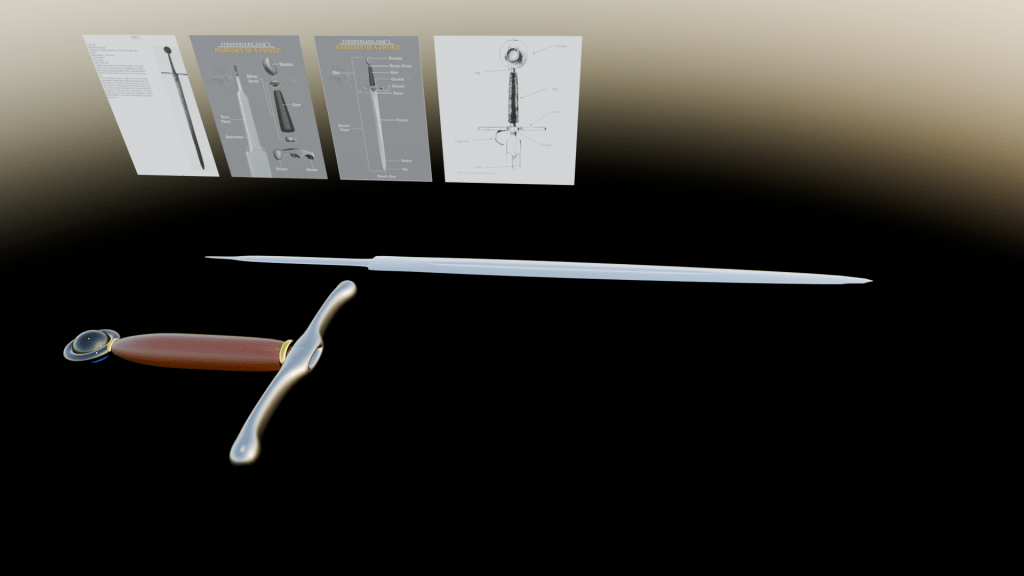
Today I looked at texturing and shading my sword model. I separated the jobs into three: the metal parts of the sword (blade, guard, tightening rings and pommel ring), the leather grip and the pommel gem.
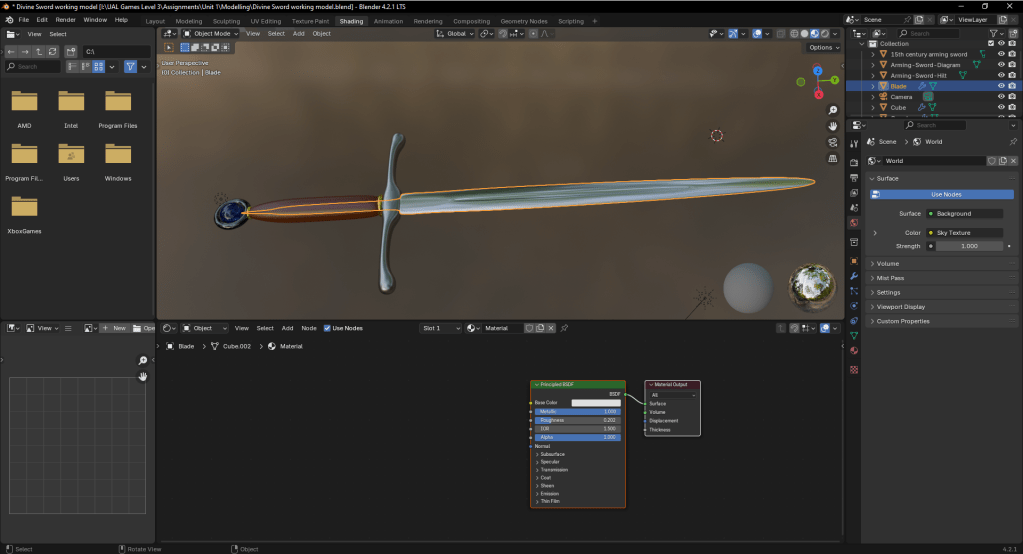
First I looked at the metal, I started with the blade. I added a base material and then increased its metallic properties to max and decreased the roughness till the blade looked like metal. For the guard I did the same but made the base colour slightly darker. With the tightening rings and pommel ring, I maxed the metallic and set the roughness to zero as I wanted a polished metal look for these parts. For the tightening rings I set the base colour to gold and for the pommel ring I set the base colour to black.
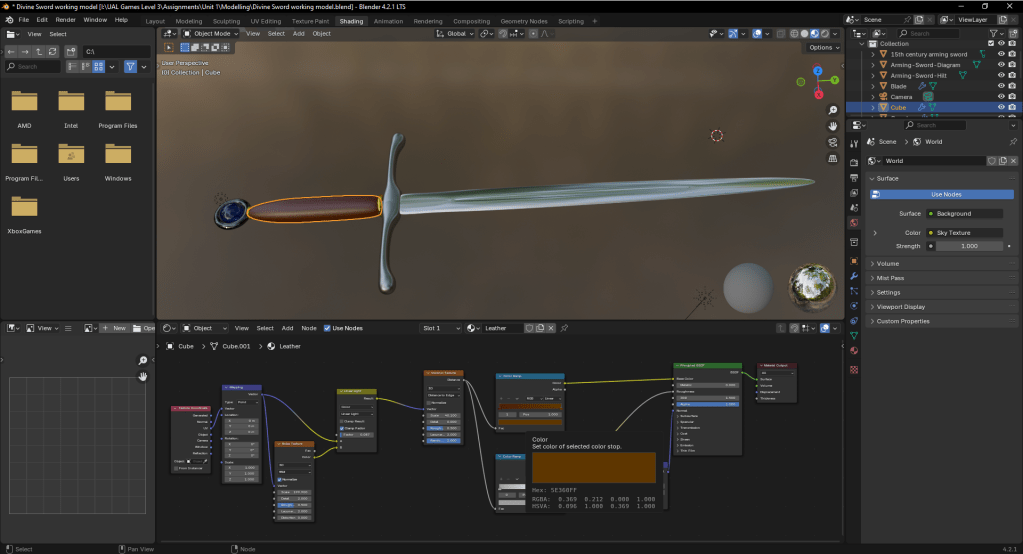
I next looked at the leather grip. I followed the procedural leather material tutorial below. I first added a new material. I added a voronoi texture and two colour ramps. I connected the distance node to the two colour ramps. On the first colour ramp I changed the two colour handles to two different shades of brown and for the bottom colour ramp I set the left colour handle to a light grey and the right to white at the centre of the ramp. The first colour ramp will be plugged into the colour of the materiel and the second will first have a bump node where I plugged the colour of the second colour ramp into the height of the bump node. I then connected the two normals of the bump node and the material, this create the roughness of the material. The tutorial went on to describe how to make the leather more realistic by adding noise. I achieved this by adding a texture coordinate and mapping nodes, plugging the UV of the texture node into the mapping node. I then added a noise texture node. I then plugged the the vectors for the mapping node and the noise nodes together. I next added a mix node and changed the nodes mode form mix to linear light. I plugged the vector from the mapping node into the A of the light node and the colour of the noise texture into B. I then plugged the result of the linear light node into the vector of the voronoi texture.
I then follow a tutorial for the glass which was simple. I maximised the transmission of a new material for the glass and set the roughness to zero.
Please find both tutorials below
L3 U1
 Sublime Theros