

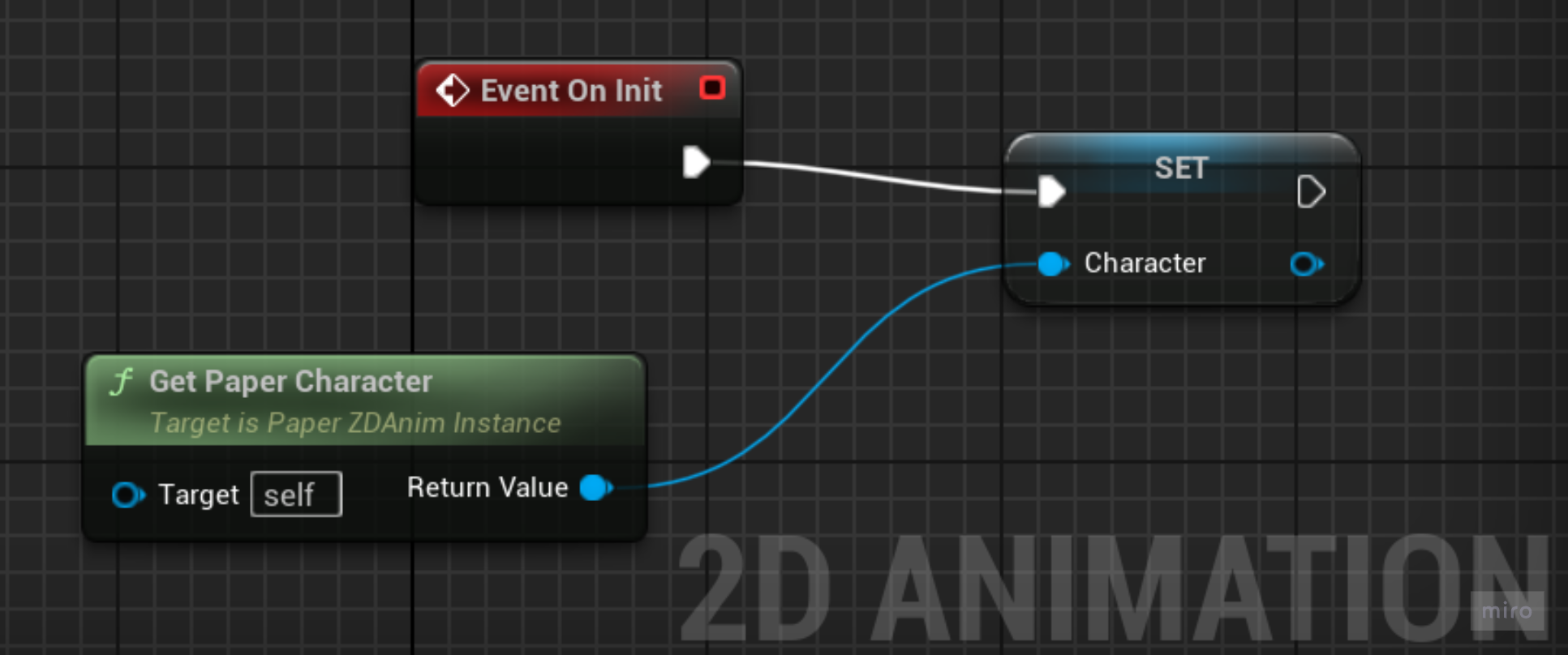
I then had to set up the animation blueprint. It is separated into the event graph and the animation graph. The event graph was simple as all that needed to be done was get a reference to the Paper ZD character and set it on initialisation of the game. This sets the sprite to appear when the game starts
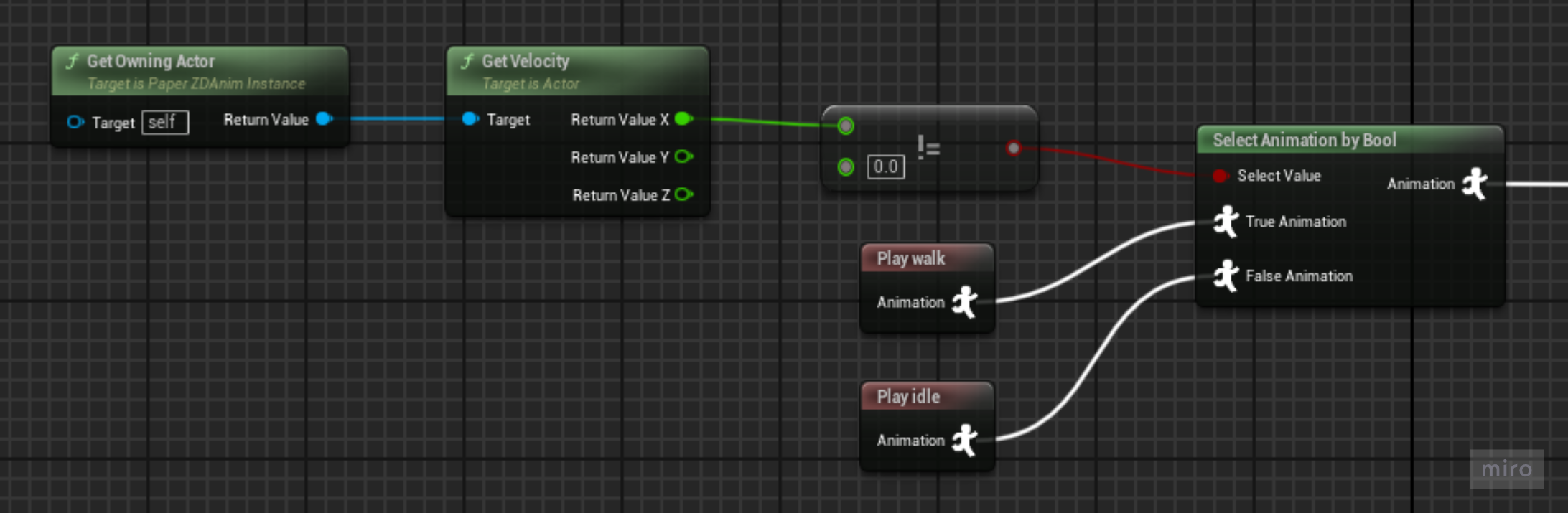
The animation graph was far harder. The first tutorials I found told me to set up the blueprint to select animation on Bool (Boolean), which I plugged a not equals (!=) node in that checked if the character’s X velocity was changing. This worked for making the character play a walk cycle when moving right or left but would only play when moving left and right. It would also only show the first animation in my multi directional sequence, which was the character walking backwards.
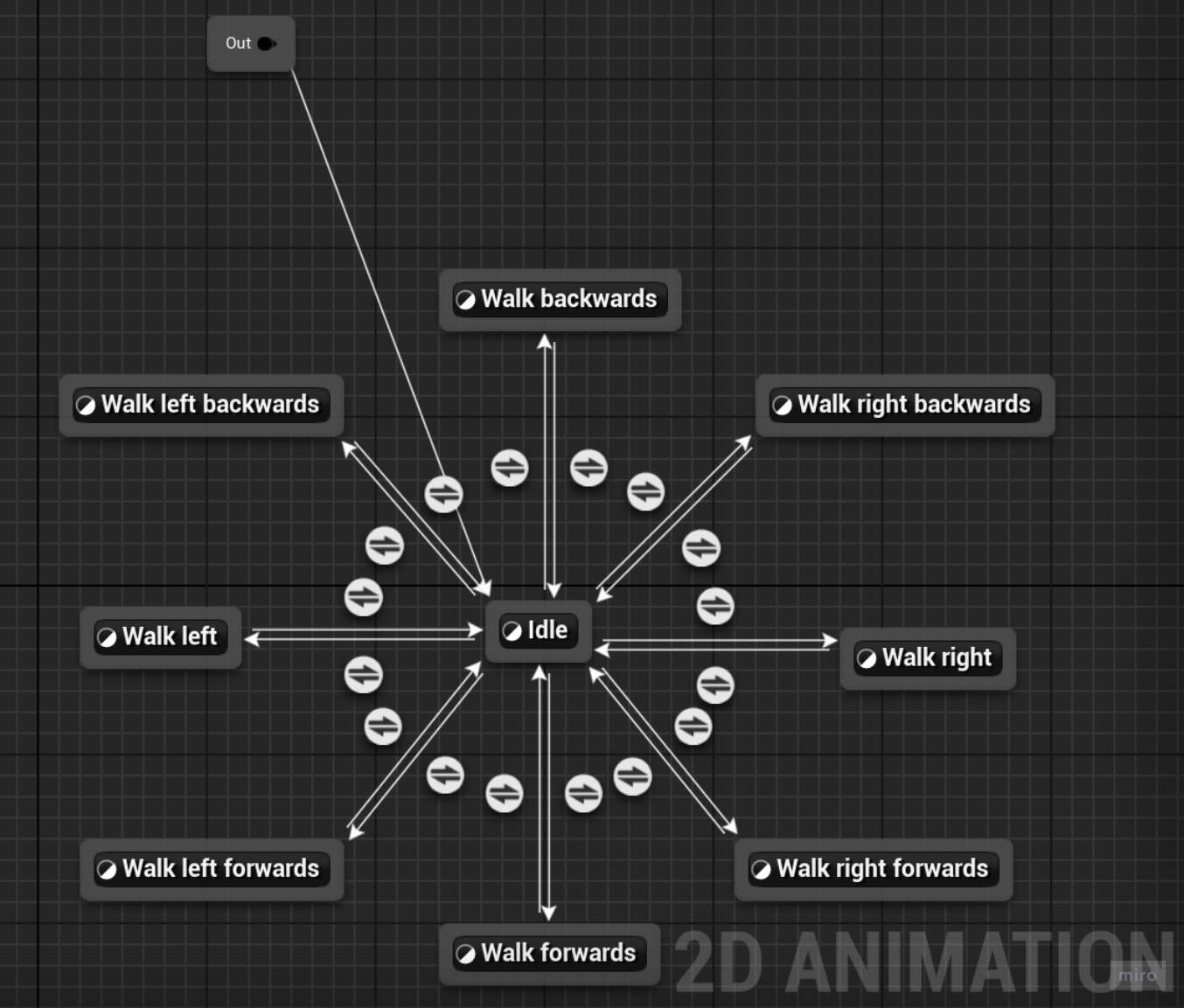
I then looked into state machines which is a better way of setting up animations to play on conditions. I couldn’t find any tutorials on how to use them with the multi directional sequence. I resolved to experiment where I had states for all the different parts of the walk but needed animation sequences for each direction that was needed. What I planned was to check the velocity of the character in a certain direction and that would select the animation but I found that difficult to achieve.
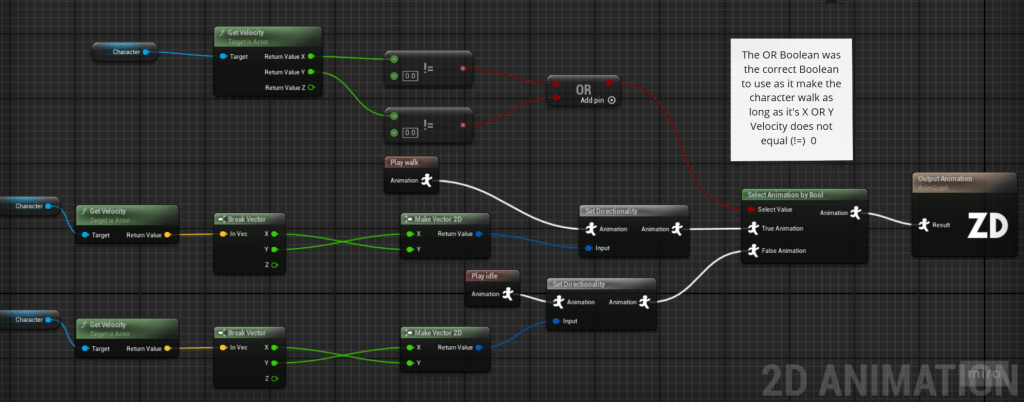
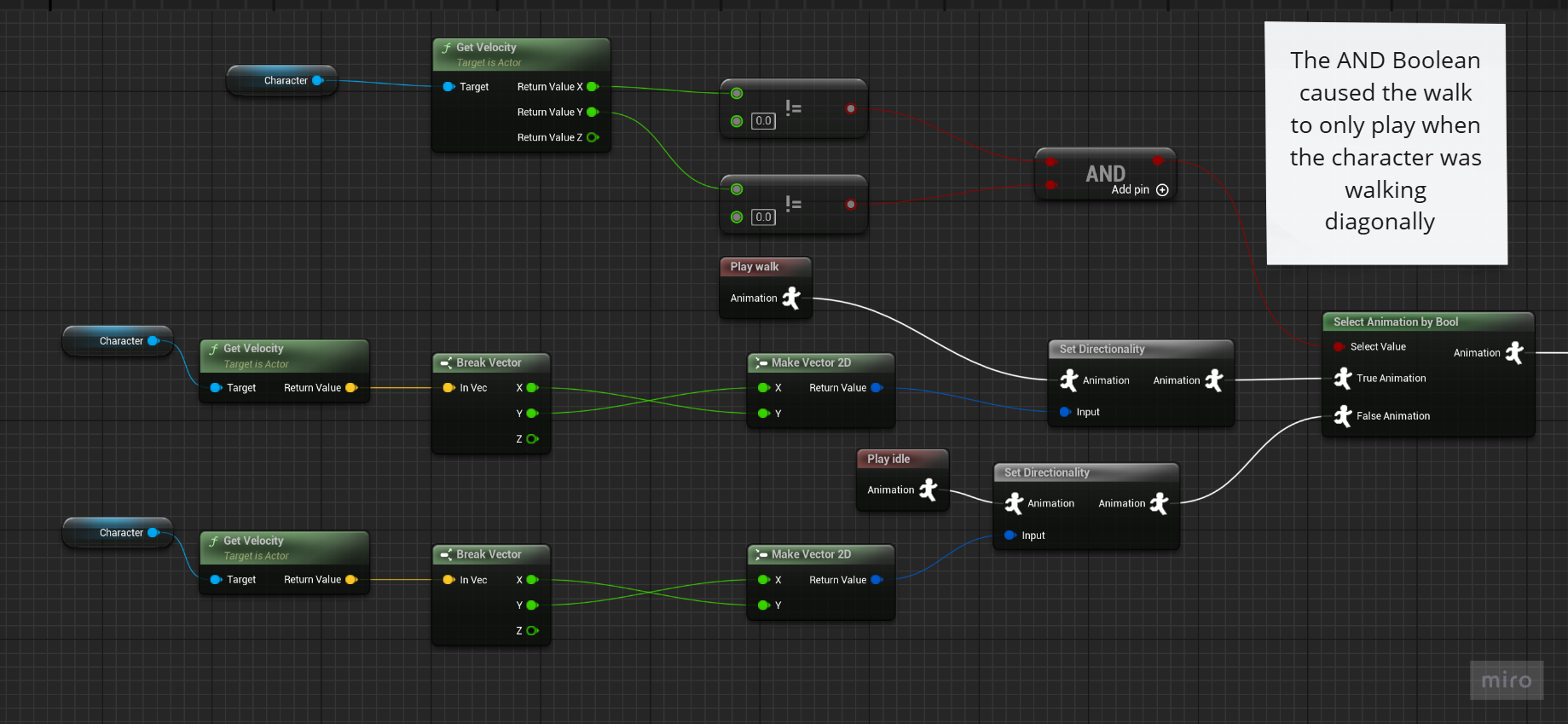
I decided that the state machine wasn’t the way forward and looked into the documentation of the Paper ZD plugin. It told me how to set up my animation with the multi directional sequences. The key turned out to be a single node called set directionality which takes data from the characters movement velocity broken and made 2D (X&Y rather than X,Y&Z) as the ground velocity is all that is needed and saves the Z velocity for a jump animation. I then set up the select animation by Bool to take the velocity and if the character was moving in the X&Y vectors then play the walk animation with the direction the character faces set by the directionality node. However this wasn’t right as on testing the walk animation would only play when the character was moving diagonally.
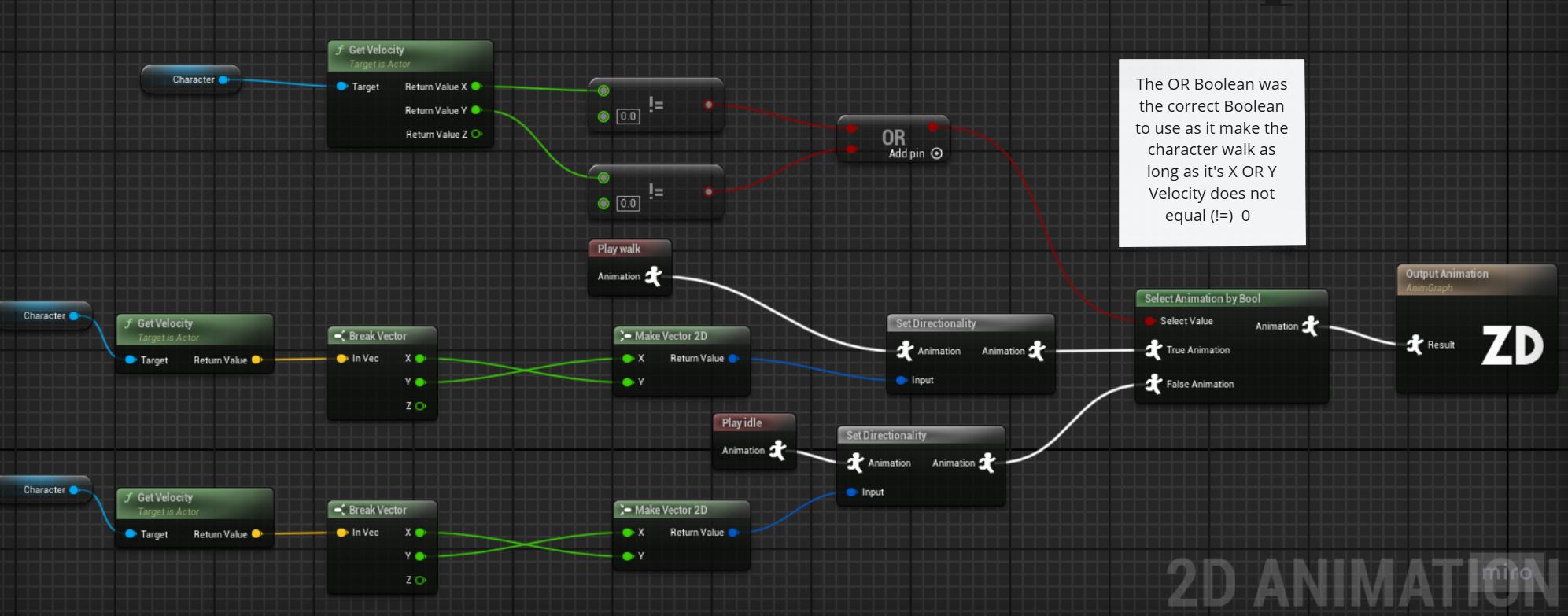
It was quickly clear what was wrong, by checking if there was movement in the X&Y vectors it meant both had to not equal 0 not just one, I solved this quickly by swapping the AND node with an OR node. There was a further issue where the opposite animation of the input direction was playing, a quick fix for this was the swap the X & Y pins of the make 2D vector.
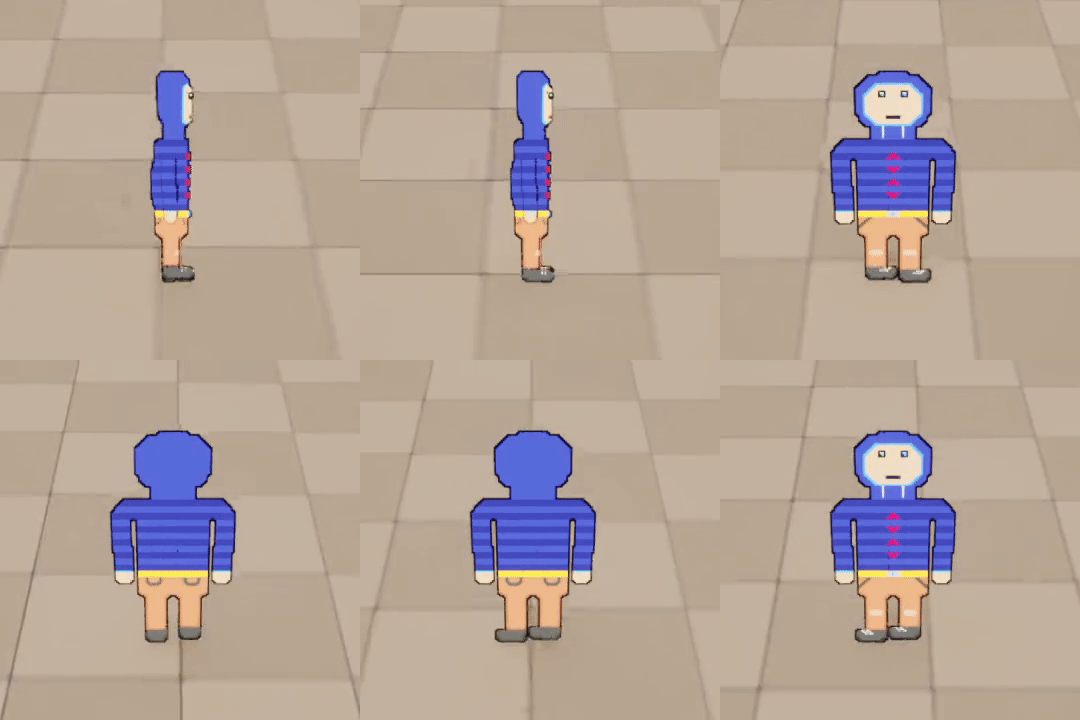
Successful 2D animation Blueprint
L3 U8
 Sublime Theros