

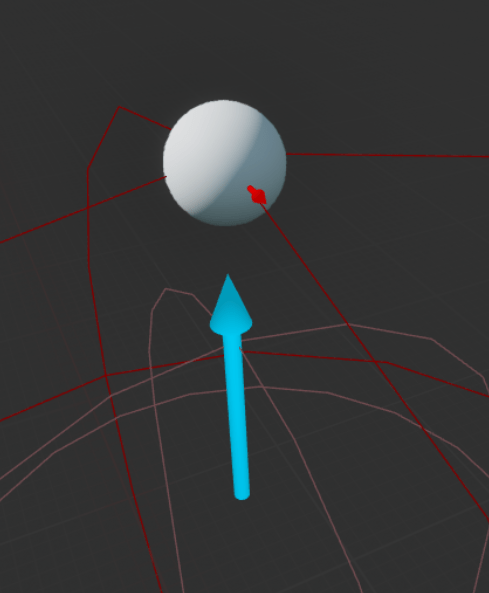
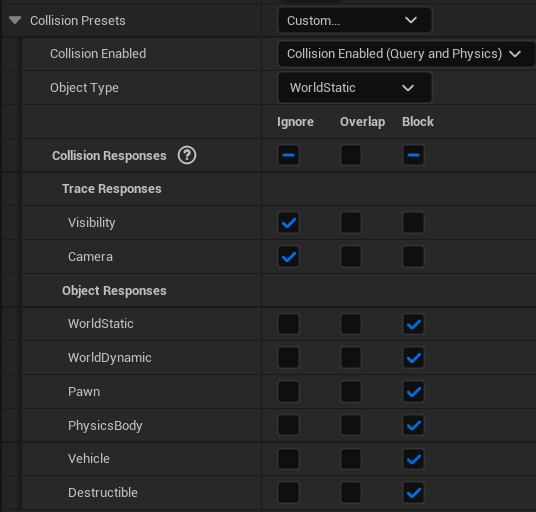
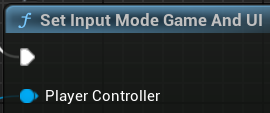
I managed to fix the fireball, to do this I had to examine how I was firing the the fireball in the first place. I looked at the first person template for unreal which comes with a gun as a starter asset. For the transform of the projectile for the gun was set to the end of the barrel for the location and the barrel’s rotation for the rotation. This then fired a projectile where the gun was pointing. I then had to think how I would replicate this for my fireball. In the end the solution was to create an arrow as an invisible barrel. I would then take a sphere trace with the start of the trace being the firing sphere and the end being where the mouse clicked. I then used the start of the trace and the end to make a look at rotation for the barrel arrow so the arrow now looks at where the player clicks. I then gave that rotation to be the rotation for the transform for the spawn fireball node. This solution worked and my fireballs now travel towards where the mouse clicked. However it requires the player to double click to cast either fireball or lightning. After a lot of research I discovered that the first mouse click was being consumed by my widget and I fixed this by setting the input to be game and UI in the player blueprint on event begin play. In fixing the fireball it made the problem of the walls in the mazes being picked up by the click detection rather than the ground more obvious so I set out to fix it. The solution in my head was make the walls not be picked up on the clicks and have the floors be the only targetable area. The actual solution came when looking at the collision options for the walls and I tried turning off the trace responses for the walls. I then tested my idea and it worked the fireballs and lightning now target the floor or enemies rather than the walls. Then there was this minor issue of the fireballs not seeming to damage the enemies but the lightning did despite using very similar set ups of on overlap, apply damage to overlapped actor if they have enemy tag. The solution for this was to copy over the working damage box collision box from the lightning and connect that to the nodes instead and this worked as well and my fireballs now do damage to enemies. The next problem was minor but annoyed me, to cast a spell the player would have to double click where they wanted to hit and a single hit did not result in the input. I knew it wasn’t a hardware issue as it did not work on multiple computers and with different mice. After substantial research and swapping out the legacy input system for the new enhanced input system which failed. The problem turned out to be my health bar, the widget for it was consuming the first click. The solution for this was not clear at all but after searching the Unreal Engine forums I gathered that I needed to set the input mode to detect game inputs and UI input as well. I thought I would have to set up a new game mode but after I found that to be unsuccessful I was at a loss. I wanted to look through the nodes to see if there was an answer there so I turn off context sensitivity in the search and put UI in the search bar. This search resulted in a set input mode to game and UI node which sounded exactly what I needed. I set it to execute on the begin play on the player blueprint and it worked as well, both attack now fire on the first click.
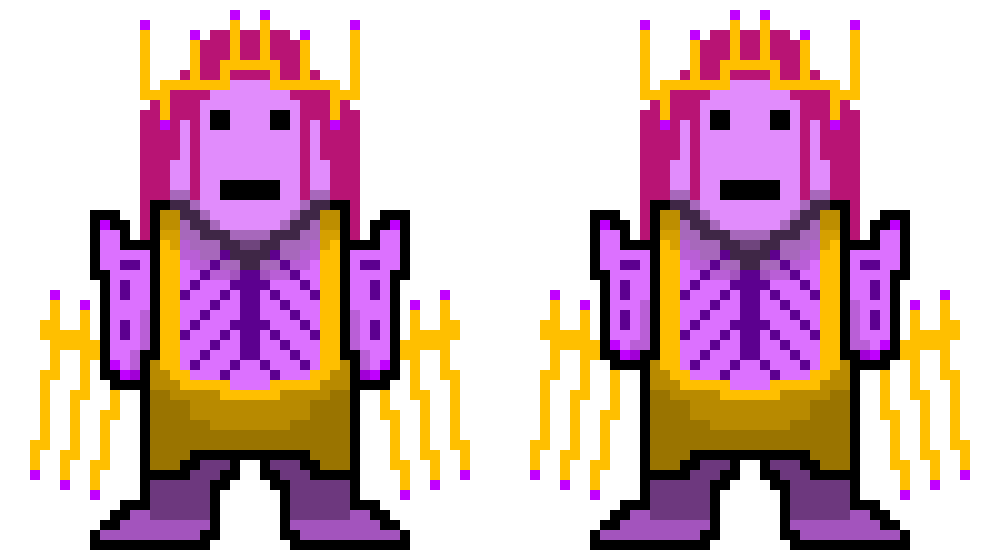
I then began to create my boss by finishing the sprite. I needed to figure out what attacks he would do, I settled on fireballs which would cause damage in an area over time, lightning similar to the player’s lightning but stronger and some kind of spikes or shockwave that would do radial damage over a large area (I might add a jump to the player so they could avoid this attack). I made the animations for this and added them to Unreal. I then looked for tutorials for how to make a boss in Unreal and came across a tutorial for area of effect attacks and heals which also taught me about creating and use of a child of a blueprint. I created my attack following the tutorial and set the actors I had created spawn after the animations for the attack had played so when the boss summoned lightning it would appear after his animation had played and the same for the other attacks. I then looked at what the animations for the attacks landing would look like. I started with the shockwave/spikes attack and I looked into Niagara, Unreal’s own effects system, however I felt this looked too different to what I have for other attack like the player’s lightning and fireballs. I settled for more 2D animation creating a shockwave in pixel art and setting it to play once when the boss summons the attack. I continued doing this for the other attack, admittedly I reused the lightning from the player but made it bigger and more intimidating by having three bolts be summoned at once. Next for this I will add sounds for the attacks as at the moment I have some sound in for debugging purposes.
L3 U8
 Sublime Theros